Discord Bot Creation
Follow this guide to create a Discord Bot and join it to your guild.
Create Application
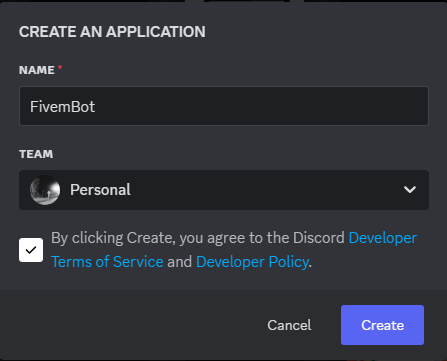
Enter on the Discord Developer Portal (opens in a new tab) and click on the button on New Application, after that introduce the name for the bot, accept the terms and click on Create.Steps

Reset Token
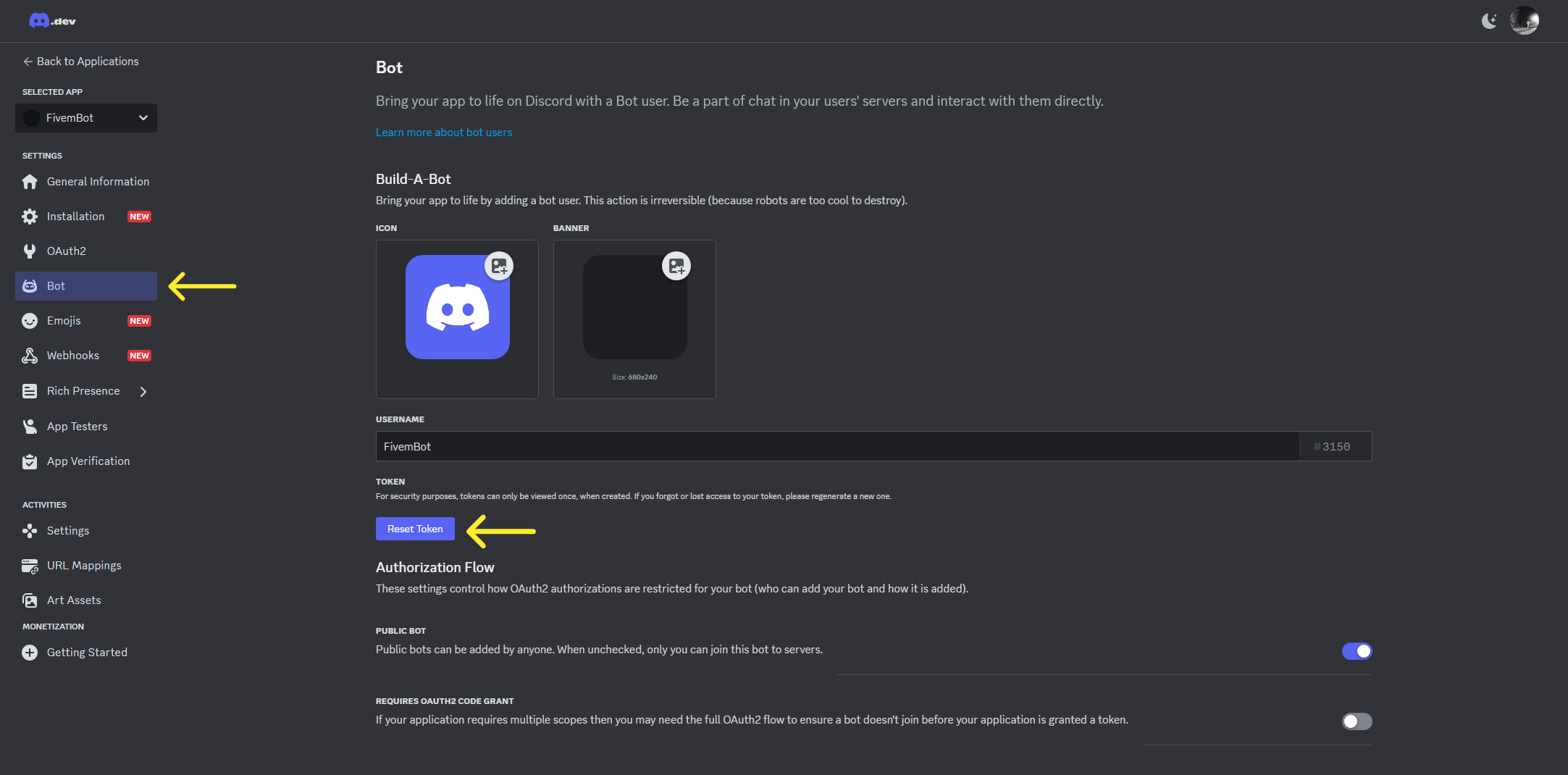
Go to the Bot section and select the button of Reset Token, then copy the token and safe it to configure the step of the cq-lib

Join Into a Guild
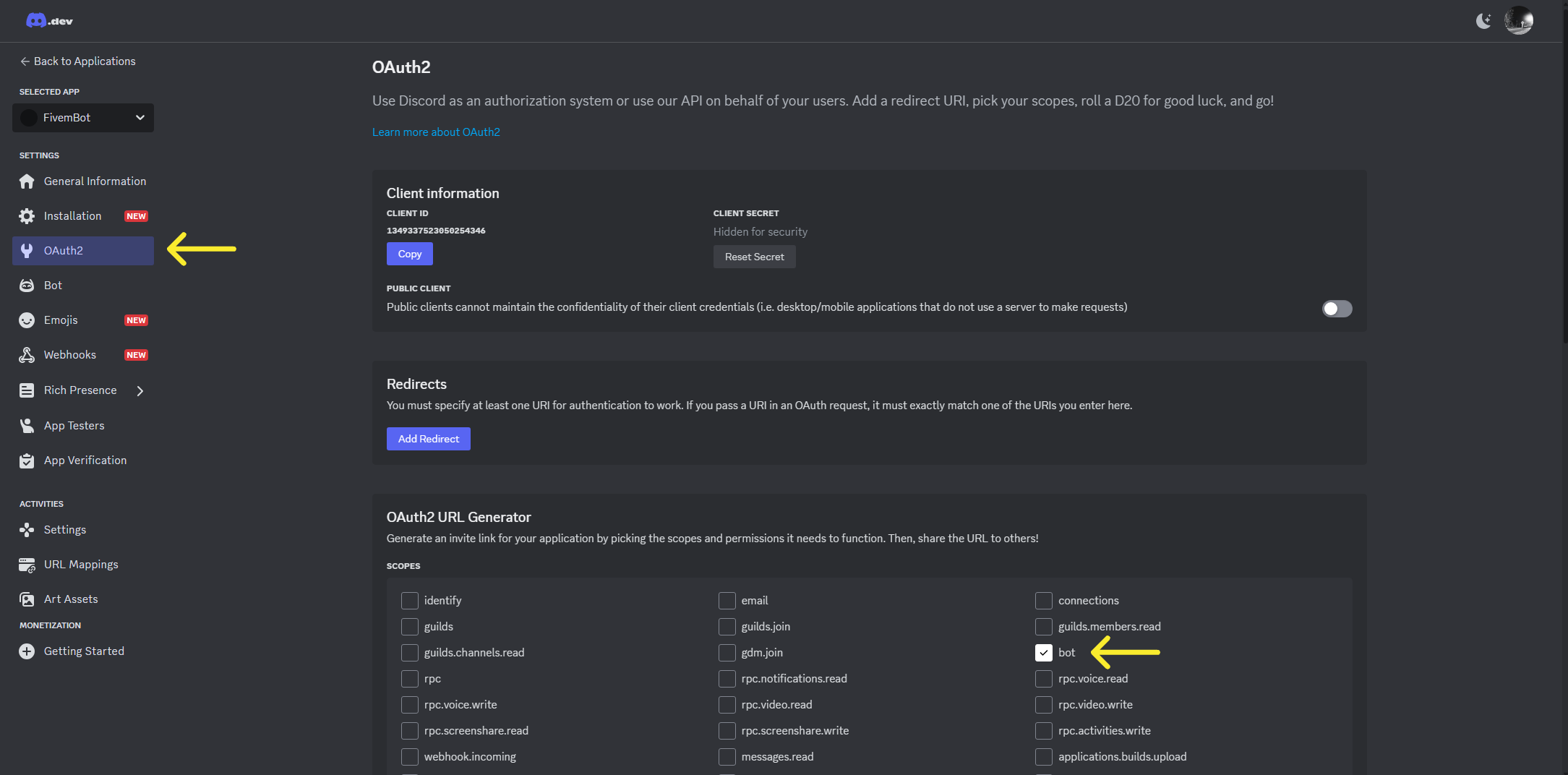
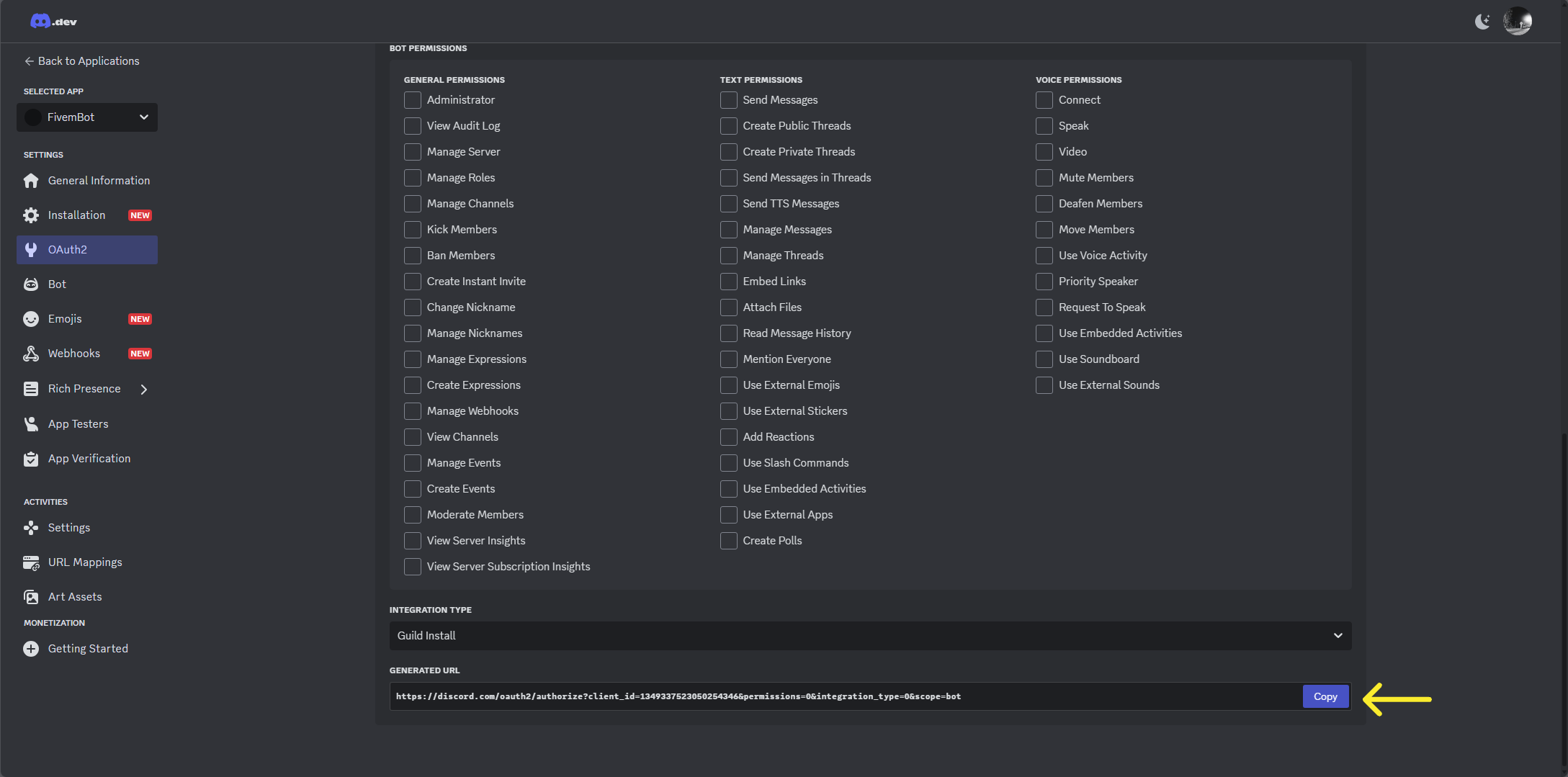
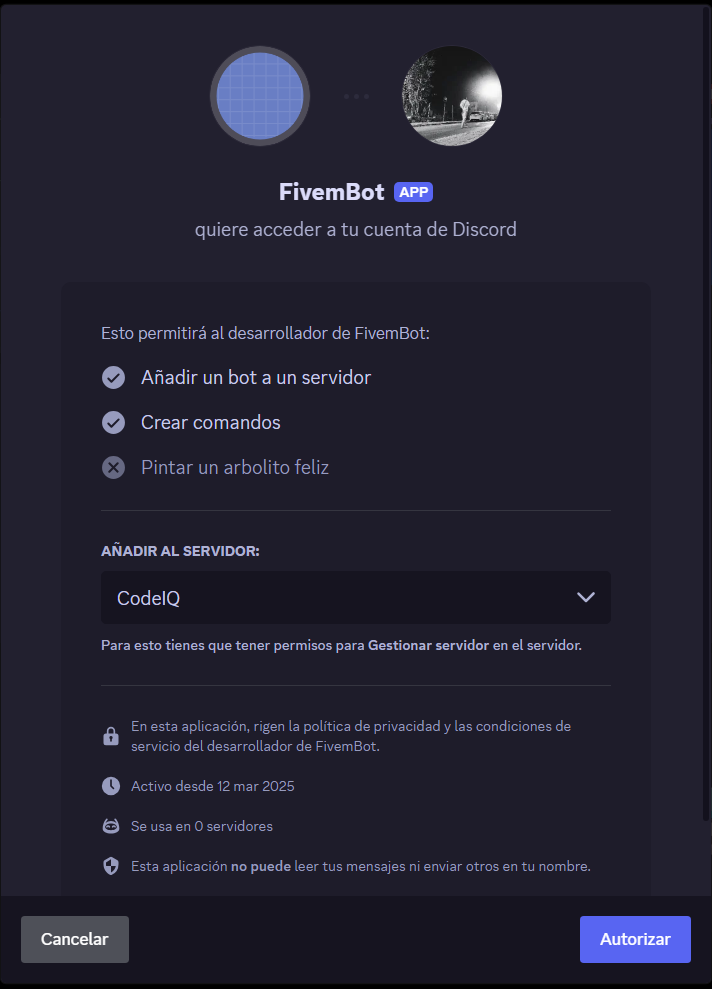
Navigate into the OAuth2 section and select the checkbox of bot in the OAuth2 URL Generator box. Then go to the bottom of the page and select the copy button, after that you will only need to open the URL on a new tab and select the guild you want to join the bot.